Mario Artist Paint Studio
Published on 03 Feb 2026
This was part of a series of threads that I made on Twitter about Mario Artist. I wanted to talk about the underrated successor of Mario Paint in detail.
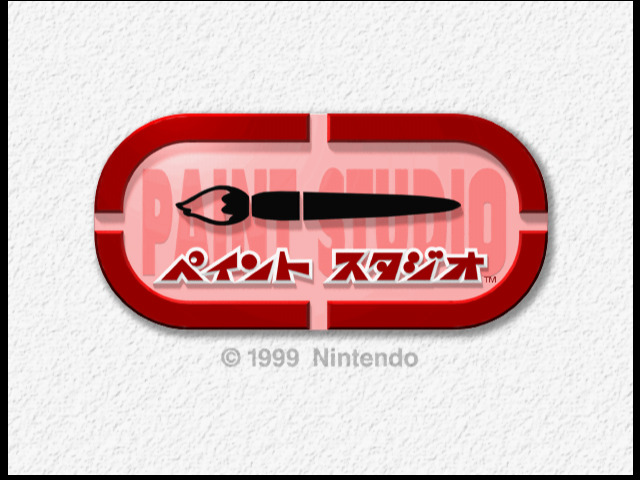
Let’s talk about Mario Artist Paint Studio. It was the first that came out, and it was bundled with a mouse.
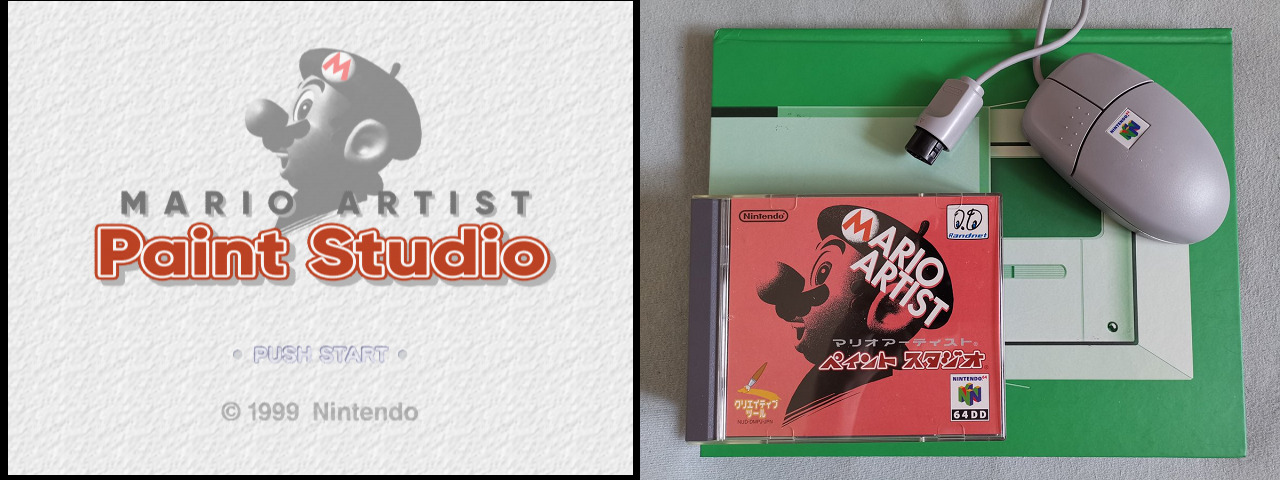
It might be the least interesting one of the bunch, but it is nonetheless important to the suite because it has all the tools for 2D drawings. I would actually recommend to have both a controller and a mouse to play, as the controller can be useful for several reasons.
It has three main modes:
- 2D Paint: The traditional painting mode. It can also be multiplayer with less features.
- Animate: Which is more of a flipbook animation mode where you can draw a bunch of frames and decide the speed. It has its uses that I will talk about later.
- 3D World: Where you can explore varied worlds and actually retexture everything.
- Gallery: A slideshow of everything you’ve saved.
About 2D Paint
It is pretty much the simple Photoshop mode in Mario Paint fashion. You can draw with different brushes, cut and paste, and use premade stamps and backgrounds to your likings.
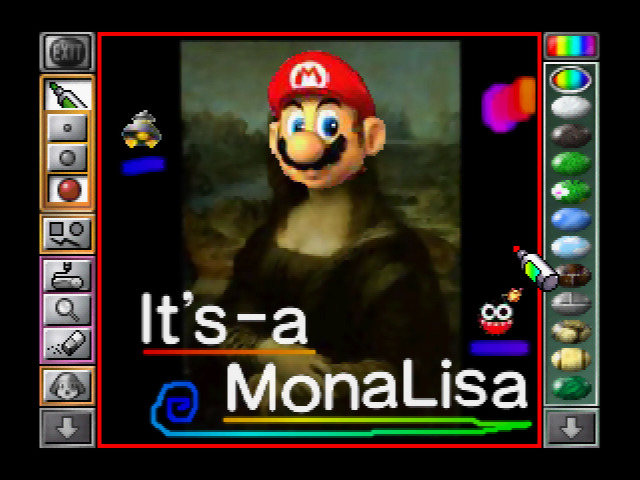
There’s one thing you don’t really think about that said that it is in the details: you can actually erase & unerase things that you’ve drawn in case you did a mistake. There’s a nice rainbow brush that you can use that is pretty funky.
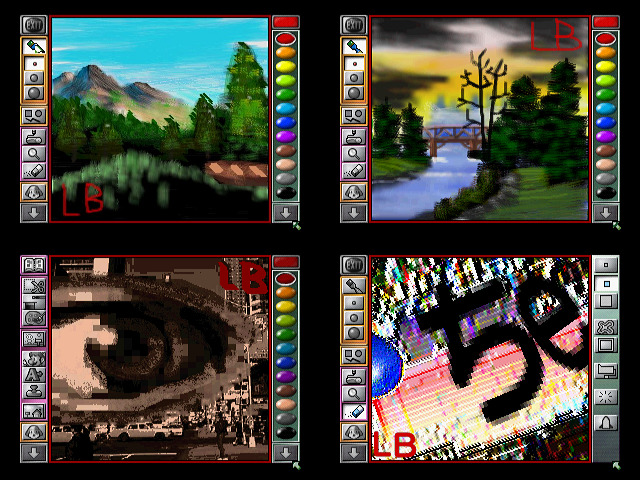
And while I won’t go into the deep details of it, it is rather pleasing to mess with to do all kinds of things, from literally Bob Ross to absurd a e s t h e t i c s. These are all exemples that I’ve made in the past.
I could say this for all the Mario Artist suite: Be curious and play with all the options. You will definitely find a lot more fun.
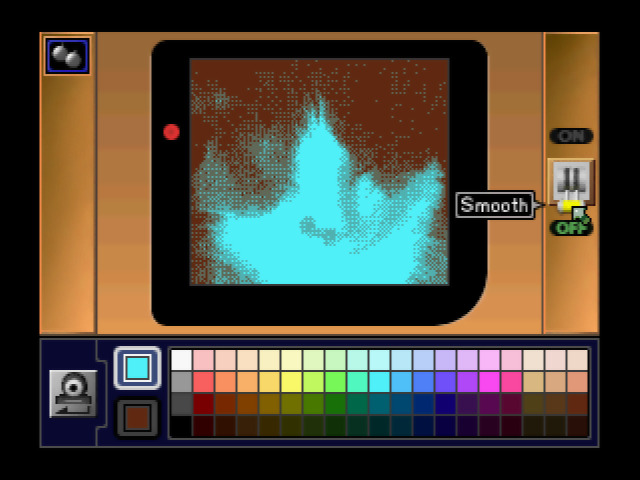
You can also use the Game Boy Camera, either directly or use one of the saved pictures. You can even colorize the picture in whatever way you want. There’s also support for the Capture Cassette for direct capture of NTSC video from your camera of the time or simply anything else.
About Animate
When it comes to animating, you have actually a bit less features when you draw frames directly. At least you can have a ghost of any frame you want when you draw, which definitely makes animating easier.
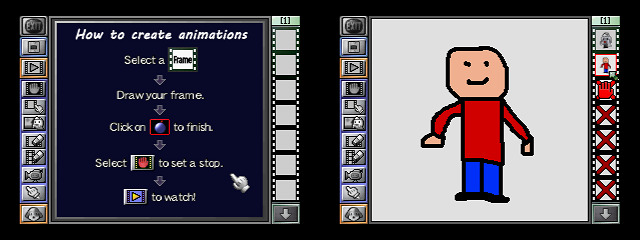
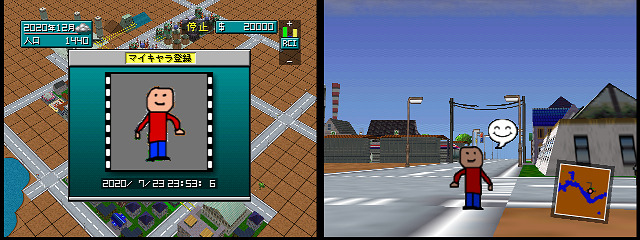
Paint Studio drawings tends to be supported across the suite, while animations are not… except: You can actually import an animation to Sim City 64.
If you name the file “シム”, you can import it as a citizen in your city. Keep in mind the transparency of the image with the eraser to make it look good.
About 3D World
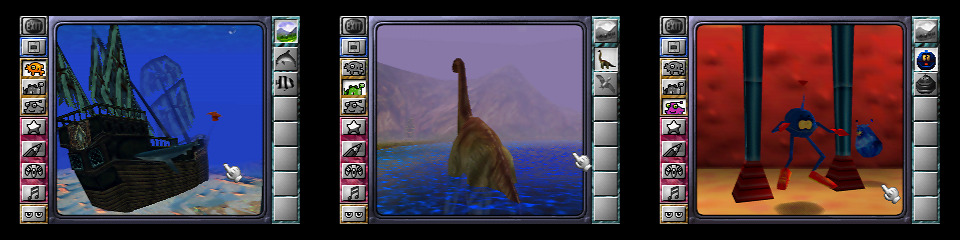
3D World is a bit of a weirder mode. You can select a world, from the sea to wacky creatures on Mars, and explore, take pictures and retexture. There’s no real interaction with them, it’s all scripted animations on repeat.
…This mode is literally easy mode Games Repainted, if you know what I mean by that.
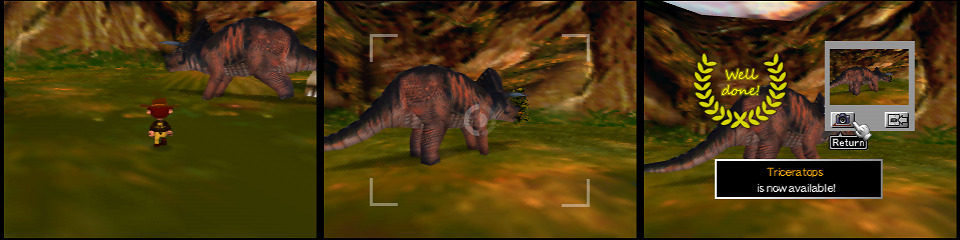
For each world, some creatures have to be unlocked to be editable, and for that, you have to explore and take pictures of them using the N64 controller, not totally unlike Pokémon Snap, except you won’t be on a rail, you can freely explore as you want.
When it comes to retexturing, you can really just draw over every texture for the creatures or even the world itself. Just do whatever you want it’s almost as full featured as single player 2D Paint, and it comes with a pretty nice unique song too.
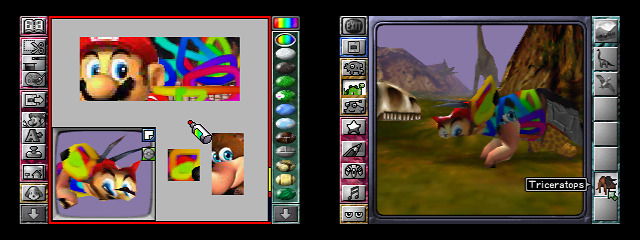
Of course, the photos you can take in 3D World are saved as a regular image, and can be used across all modes of Paint Studio and the others in the Mario Artist suite that makes use of such images.
About the Prototype
When it comes to the prototype of Mario Artist Paint Studio itself (again, huge thanks to GamingLegend64 for dumping it!), the differences are not that big.
It may even seem uninteresting because most of the features were ready but in a mostly unpolished state:
- Instead of 4 modes, it’s just 2 modes, called 2D Paint and 3D Movie (which would become 3D World). Gallery is entirely missing, and Animate can be found inside 2D Paint mode instead.
- The most annoying part about 2D Paint mode in this build is how it doesn’t do a lot of things automatically when you try to take from pages of stamps, you have to manually use Cut & Copy to select what you want. You can make a high resolution artwork (640x480), you can also save only a specific part of the image.
- 3D Movie (3D World) is mostly identical to final, the icons are placed differently, but otherwise not quite different.
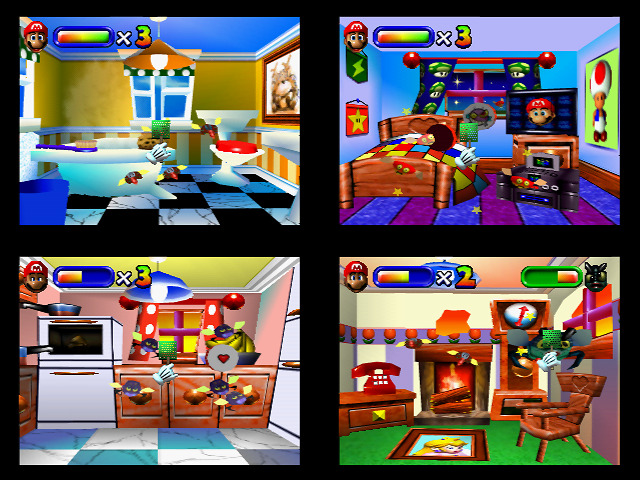
The major feature of the prototype is Gnat Attack. It is 4 levels looping into harder versions, until it crashes. It’s a fun mode, but you can tell it’s not as polished. Emulation can get this wrong however, because of the way it loads the next stage. It queues to load the next stage data from the disk, and only after unloads the current stage to make room for the next one, if the 64DD is emulated too fast (keep in mind, it’s a mechanical floppy disk drive, it should take time), it can crash the game, and that can also happen on SummerCart64.
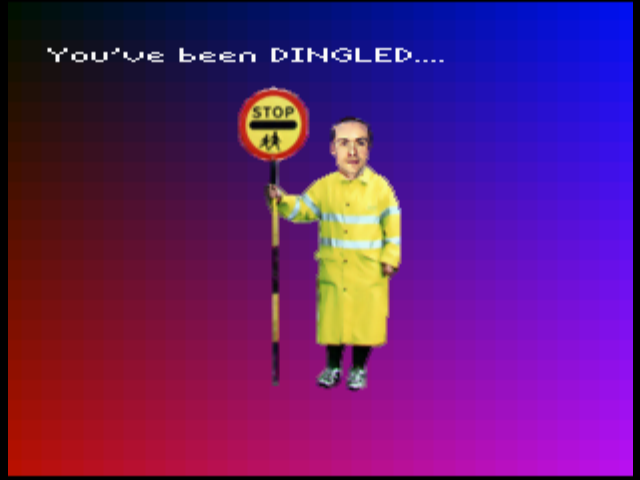
Also, you can crash the game, and in some cases… you get this screen below. I don’t necessarily understand the reason, it’s probably a private joke, but it definitely gives me the British vibes.
To be honest if you look up inside the game you can find a lot of things that don’t really hesitate on the wording like Dog Shit Alley! repeated several times, or FATAL ERROR: CAN'T CREATE N64DD MANAGER, EXPECT THINGS TO FUCK UP, or oh shit, i can't sync up this icon!!
Rambling about Paint Studio’s (and Mario Artist’s) history
Mario Artist Paint Studio is a weird title. It was developed by Software Creations, it used to be a sort of god game called “Creator”, that honestly reminded me of Spore but with a more creative focus.
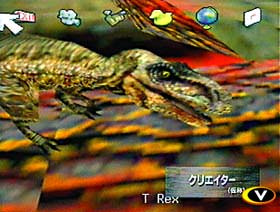
The development actually went for about 4 or 5 years total, which is ENORMOUS at the time. You can actually look at footage of this title from 1996 to 1999.
During development it was decided that Nintendo was about to work on at least 3 other projects on top of it, and make the whole thing a suite: Mario Artist.
- Picture Maker (Paint Studio).
- Talent Maker (Talent Studio).
- Polygon Maker (Polygon Studio).
- Sound Maker (Sound Studio?).
Nintendo actually released a showreel of Mario Artist back in 1997. And honestly, each of them were pretty much in a working state. However Mario Artist Sound Maker was announced in magazines… but it was not shown anywhere.
And then something weird happened in August 1999. Spaceworld 1999 was in full swing. Randnet was announced to be working on Game Maker, Graphical Message Maker, Video Jockey Maker and Sound Maker, unrelated to the Mario Artist series.
Paint Studio, Talent Studio and Polygon Studio were playable, but whatever was left of Mario Artist Sound Studio was definitely dead in the water. They did trademark the Sound Studio name alongside the rest though.
While Nintendo was going all in on the 64DD during that event, Nintendo of America announced “Mario Artist & Camera”… as a cartridge title. NoA didn’t dismiss the 64DD officially, but in reality, NoA wasn’t intending on releasing the 64DD at all. They didn’t believe in its success anymore, according to Edge, and that was before the launch of the 64DD in Japan.
A Shout Out
I want to put attention on Jack Yarwood’s article on Mario Artist Paint Studio’s development on Time Extension. If you are interested to have a deeper read into the development history of this game, please read it.
The Making Of - Mario Artist: Paint Studio, The Japan-Exclusive Mario Paint Successor
It gets real deep into the development of Creator, the original idea, the cancelled music editor by Amir Latif and Chris Jojo, how the project became Mario Paint 64 and then part of Mario Artist, honestly it explains so much on how it took so long to be made. I cannot understate the amount of research in this.